
If your die-cutting machine is cutting out of register, work through the causes in order — feeding, then registration, then board, then die and pressure — before you adjust any electronics. Most die-cut misalignment on a flatbed creasing and die-cutting machine comes from how the sheet arrives at the front lay or from the board itself, not from the cutting section. This guide gives you a systematic 10-step method to find the real cause and make the fix repeatable.
First, read the fault pattern
Before touching a setting, pull five to ten consecutive sheets and look at how the misalignment behaves. A constant offset (every sheet shifted the same way) points to a mechanical set-up error — die position, side-guide setting or timing. A drifting offset (getting gradually worse) points to board condition, belt slip or a loosening component. A random offset points to feeding inconsistency or damaged board. This single observation saves the most time.
The 10-step troubleshooting sequence
Step 1 — Confirm the fault pattern
Classify the offset as constant, drifting or random, as above. Note which direction it shifts (lead edge, side, or skew) — this tells you which subsystem to inspect first.
Step 2 — Check feeding and the front lay
Verify that every sheet reaches the front lay square and fully seated before the cut. Inspect feed belts, suction and the pull mechanism for wear or slip. Inconsistent arrival at the front lay is the single most common cause of misregister.
Step 3 — Inspect the side guide and registration
Confirm the side-guide pull is consistent and set to the actual sheet width. A side guide that under- or over-pulls produces a repeatable sideways offset.
Step 4 — Check the board condition
Warped, damp or dimensionally inconsistent board drifts through registration no matter how well the machine is set. Check flatness and moisture, and confirm the board grade matches the machine's paper range (BMC automatic flatbed models handle cardboard from about 250 gsm and corrugated up to roughly 10 mm).
Step 5 — Verify the die mounting
Check that the cutting die is seated flat and fully locked. A die that has lifted or shifted in its frame produces localized misalignment — good in some areas, off in others.
Step 6 — Check cutting pressure and make-ready
Uneven platen pressure or worn make-ready causes incomplete or ragged cuts that can look like misalignment. Re-level the platen and refresh make-ready so pressure is even across the sheet. BMC automatic flatbed die-cutters work at up to 300 tons pressure, so an even platen matters.
Step 7 — Inspect grippers and timing
Confirm the grippers hold the sheet squarely and that platen timing is synchronized with the feed. A timing mismatch shows up as a lead-edge offset that changes with speed.
Step 8 — Check rule and creasing-matrix wear
Worn cutting rule or a crushed creasing matrix shifts the effective cut and crease lines. Replace worn consumables — this is often mistaken for a registration fault.
Step 9 — Re-run at working speed
Some faults only appear under load. Test at your normal working speed, not just in jog mode, to confirm the correction holds. On BMC duplex-paper models, working speeds range up to around 6,000–7,000 sheets/hour depending on size.
Step 10 — Log the settings and standardize
Once cuts are back in register, record the corrected settings against the job so the next run starts from a known-good baseline. Repeatable set-up is what prevents the same troubleshooting next week.
Quick reference: symptom to likely cause
| Symptom | Most likely cause | First check |
|---|---|---|
| Constant sideways offset | Side-guide setting / die position | Steps 3, 5 |
| Lead-edge offset | Front lay / gripper timing | Steps 2, 7 |
| Offset drifts worse over the run | Board condition / belt slip | Steps 4, 2 |
| Random, sheet-to-sheet | Feeding inconsistency / damaged board | Steps 2, 4 |
| Incomplete or ragged cut | Uneven pressure / worn rule | Steps 6, 8 |
When it's time to look at the machine itself
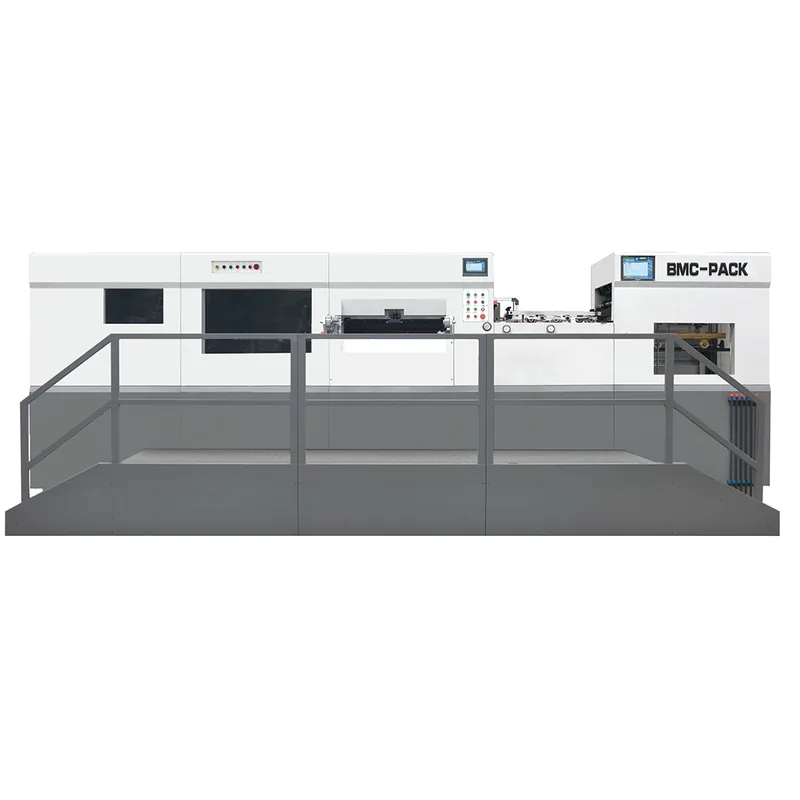
If feeding, board and die are all sound and the offset persists, the registration mechanism or drive may need service. A servo-controlled machine with extended-travel registration guides — like the fully automatic flatbed creasing and die-cutting machine — keeps sheets aligned more consistently at speed than older friction-fed designs. You can compare configurations across the full die cutting and creasing machine range, including the automatic flatbed model for duplex paper. Registration accuracy also depends on clean, in-register printing upstream — see our guide to flexo PLC parameter setup.
Summary
Diagnose die-cut misalignment in order: read the fault pattern, then check feeding, registration, board, die mounting and pressure before adjusting anything electronic. Most cases resolve at the feeding or material stage. If the fault survives all ten steps, it's time for machine service — and our engineers can help you specify the right die-cutter for your box range.