
The fastest way to protect print quality and uptime on a high-speed flexo printer slotter is a simple, disciplined maintenance routine: clean the anilox and doctor blades daily, check registration and drives weekly, and inspect the slotting, die-cutting and pneumatic systems monthly. Most print defects and unplanned stops trace back to skipped basics, not machine faults. Use this checklist as a starting template and adapt it to your shift pattern.
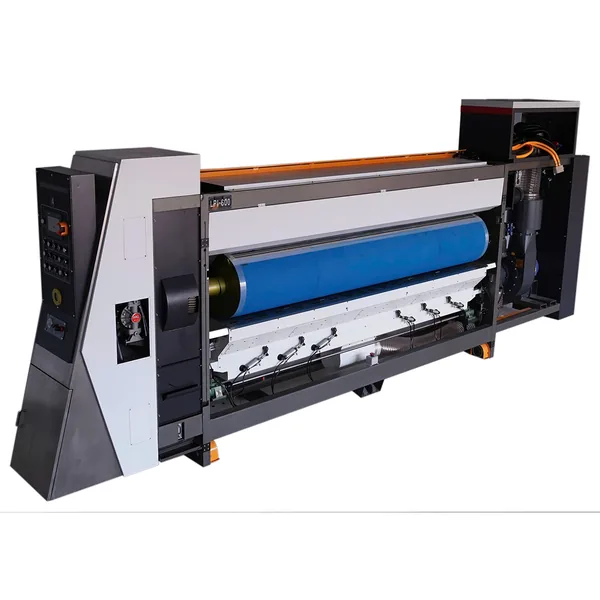
Daily (every shift)
- Anilox rollers — clean thoroughly to prevent dried ink clogging the cells and dulling ink transfer.
- Doctor-blade chamber — check blade wear and seals; flush the ink circulation.
- Vacuum transfer / feeding — clear dust from suction boxes and feed belts so sheets enter square.
- Slotting & die-cutting — remove trim waste; check knives are clean and undamaged.
- Electrical & safety — confirm e-stops, interlocks and sensors respond.
- Lubrication — follow the daily lube points in the manual.
Weekly
- Check print registration and phase alignment across units.
- Inspect anilox surface for scoring or cell wear.
- Verify slotting knife sharpness and slot depth.
- Check belt tension and feed timing.
Monthly
- Inspect drive gears, chains and couplings for wear and backlash.
- Service the pneumatic system — pressure, leaks, filters.
- Review PLC alarm logs for recurring faults.
- Deep-check vacuum transfer performance and seals.
Why the routine pays off
A correctly tuned high-speed flexo line holds tight registration — BMC servo machines reach about ±0.1 mm print precision, and lead-edge models hold ≤±1.5 mm — but only if the anilox, blades and feeding stay clean and true. Consistent maintenance keeps those tolerances stable, protects expensive anilox rollers and cuts unplanned downtime. Many plants find the biggest uptime gains come simply from never skipping the daily anilox clean.
Related reading
Correct PLC set-up underpins all of this — see setting up PLC parameters for a flexo printing machine. If you're fighting ink defects specifically, read how to reduce ink splashing in water-based flexo printing. Browse machines in the flexo printer range.
Summary
Protect print quality and uptime with a tiered routine: daily anilox/blade/feeding cleaning, weekly registration and knife checks, monthly drive and pneumatic service. The tolerances your machine is capable of only hold if the basics are done every shift. Ask our team for the maintenance schedule specific to your BMC model.